Thank You!
Congratulations!
Your order is confirmed!
Follow the steps below. For any help throughout your process, you can open a
support ticket in our Discord channel here
Happy Trading!
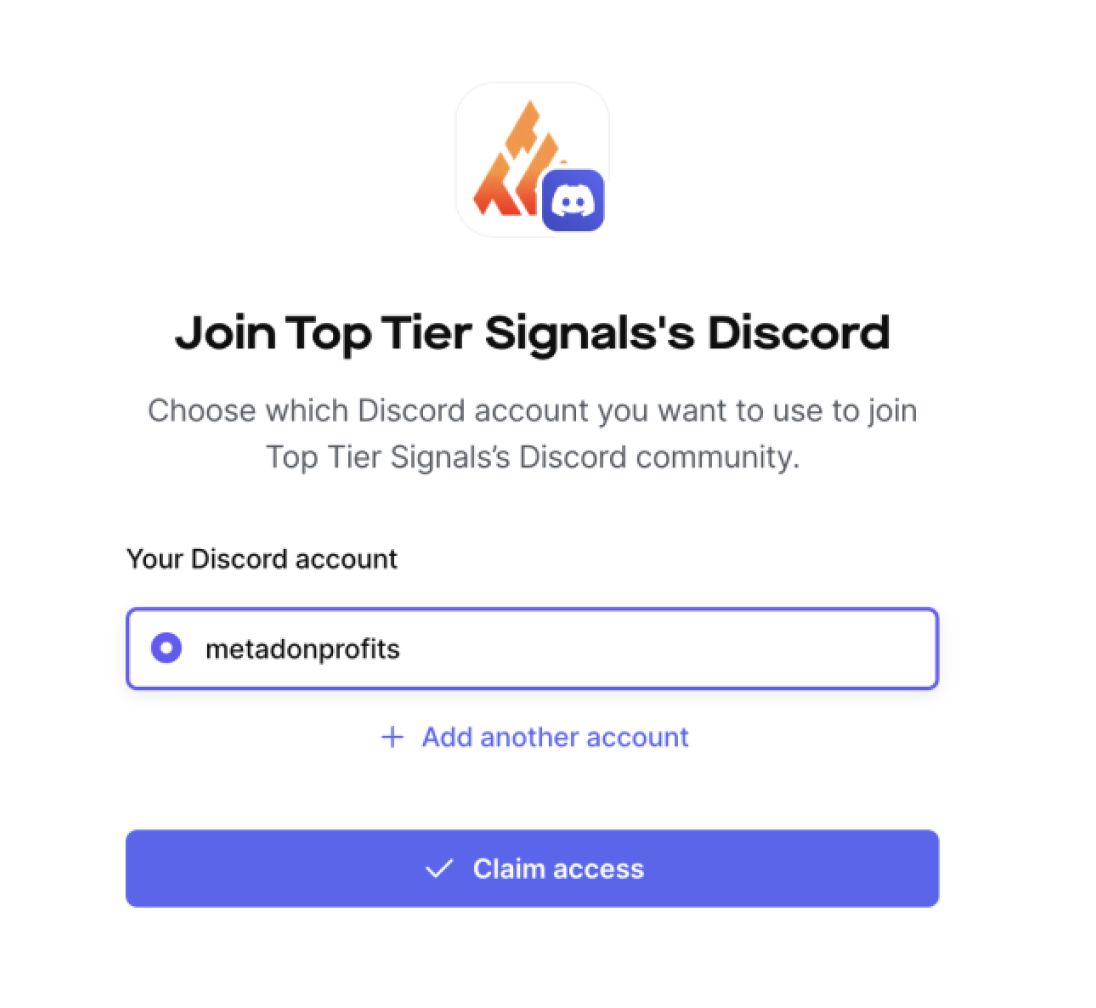
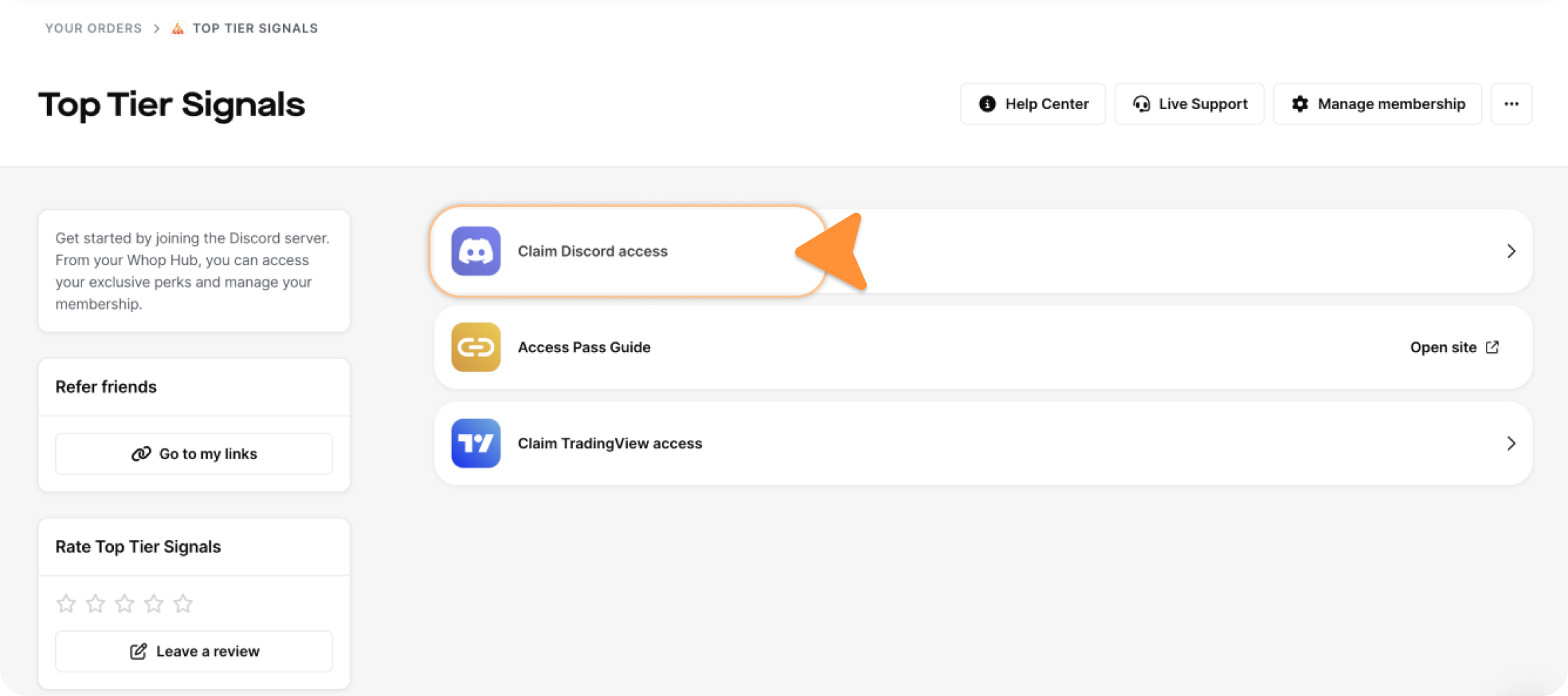
1. Click "Claim Discord Access" from Your Orders on Whop
If you're not logged into Whop, make sure to log in using the same log in method you used for your purchase. After clicking "Join Discord Server", you will be prompted to connect your Discord Account. Once done, select "Claim Access".

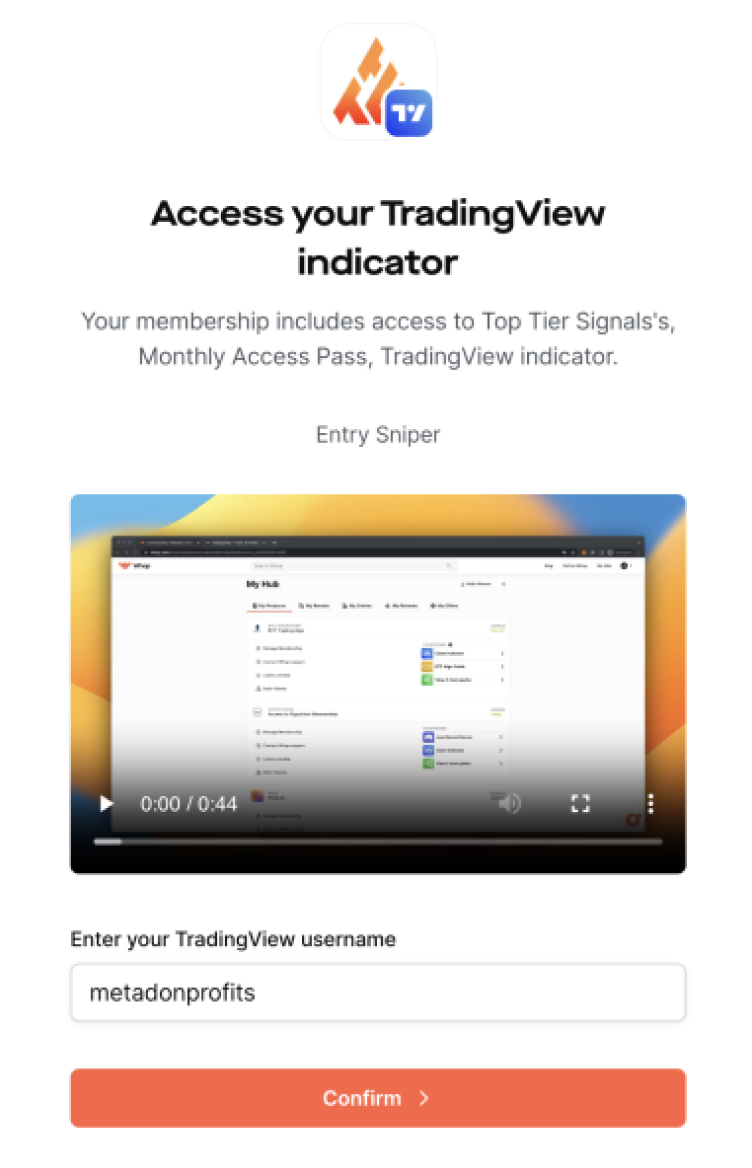
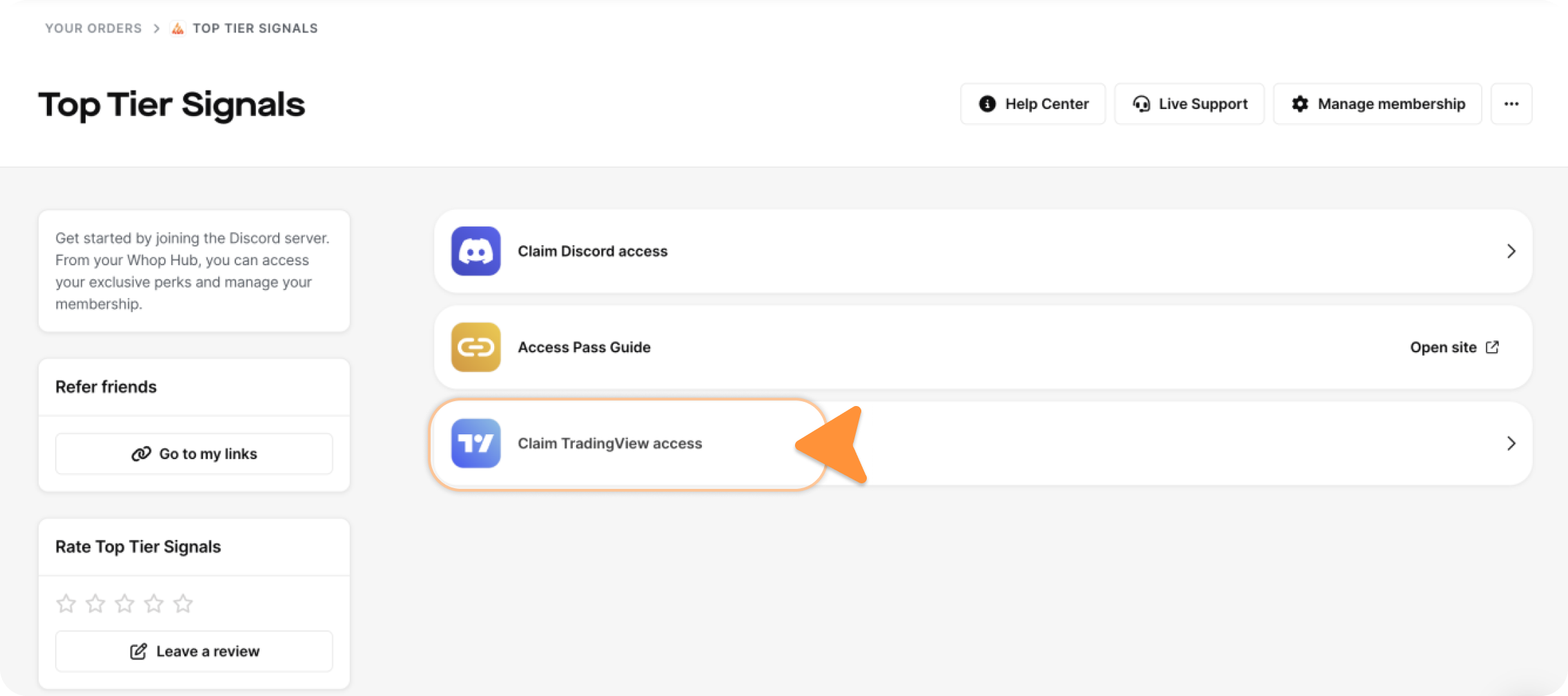
2. Click "Claim TradingView Access" from Your Orders on Whop
If you're not logged into Whop, make sure to log in using the same log in method you used for your purchase. After clicking "Claim TradingView Access", you will be prompted to enter your TradingView username to claim access to our Trading Indicator.
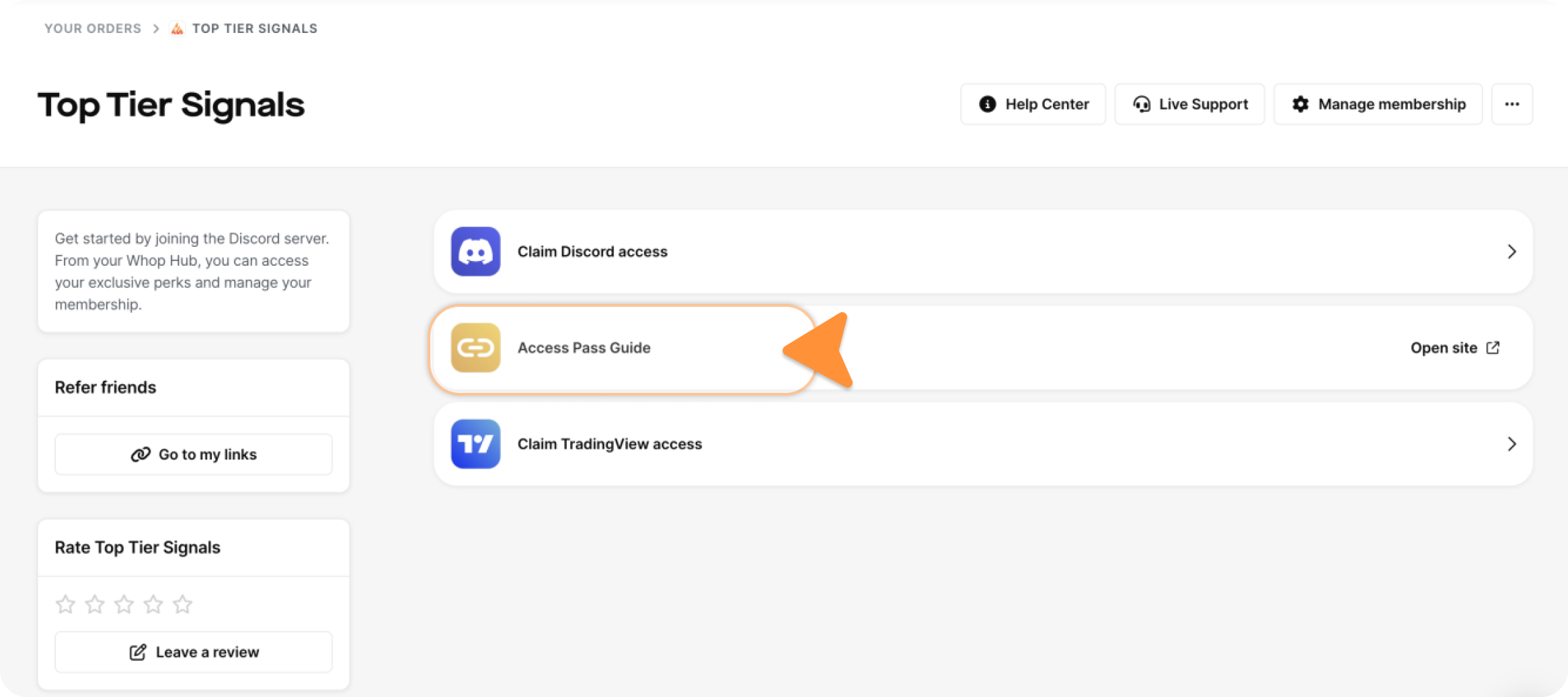
2. Click "Access Pass Guide" from Your Orders on Whop
To best utilize your Access Pass, follow this. If any other issues, ensure to open up a ticket within our Top Tier Signals' Discord Server.
.png)